In Color · made to order
Production Desk
The production office on one screen: who's shooting what, who to call this week, and what's on today. Every Production Desk is one of a kind, custom made for the company that uses it.

Mission Control, built for a sample company. Names, jobs and leads on this page are illustrative.
Production Radar
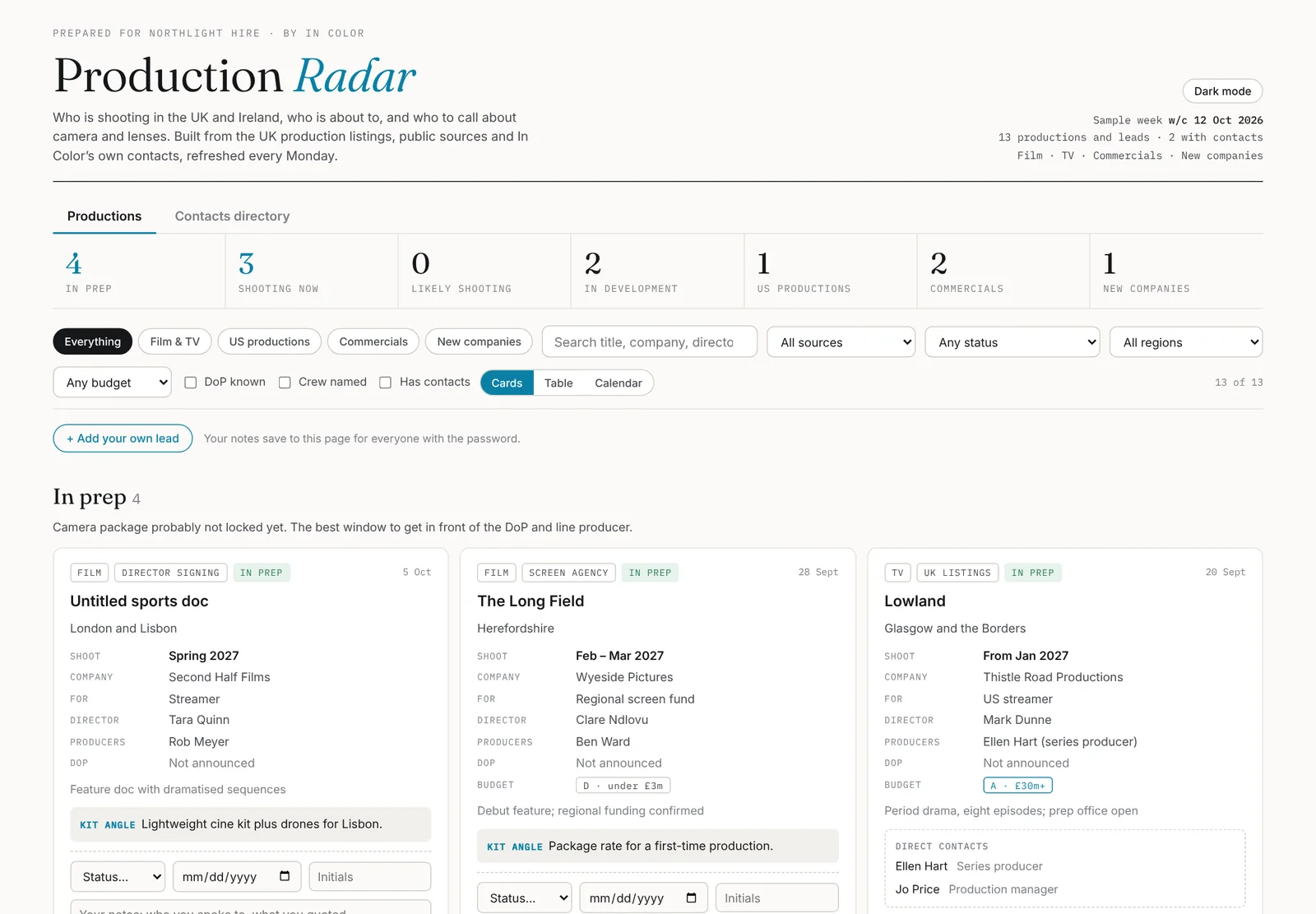
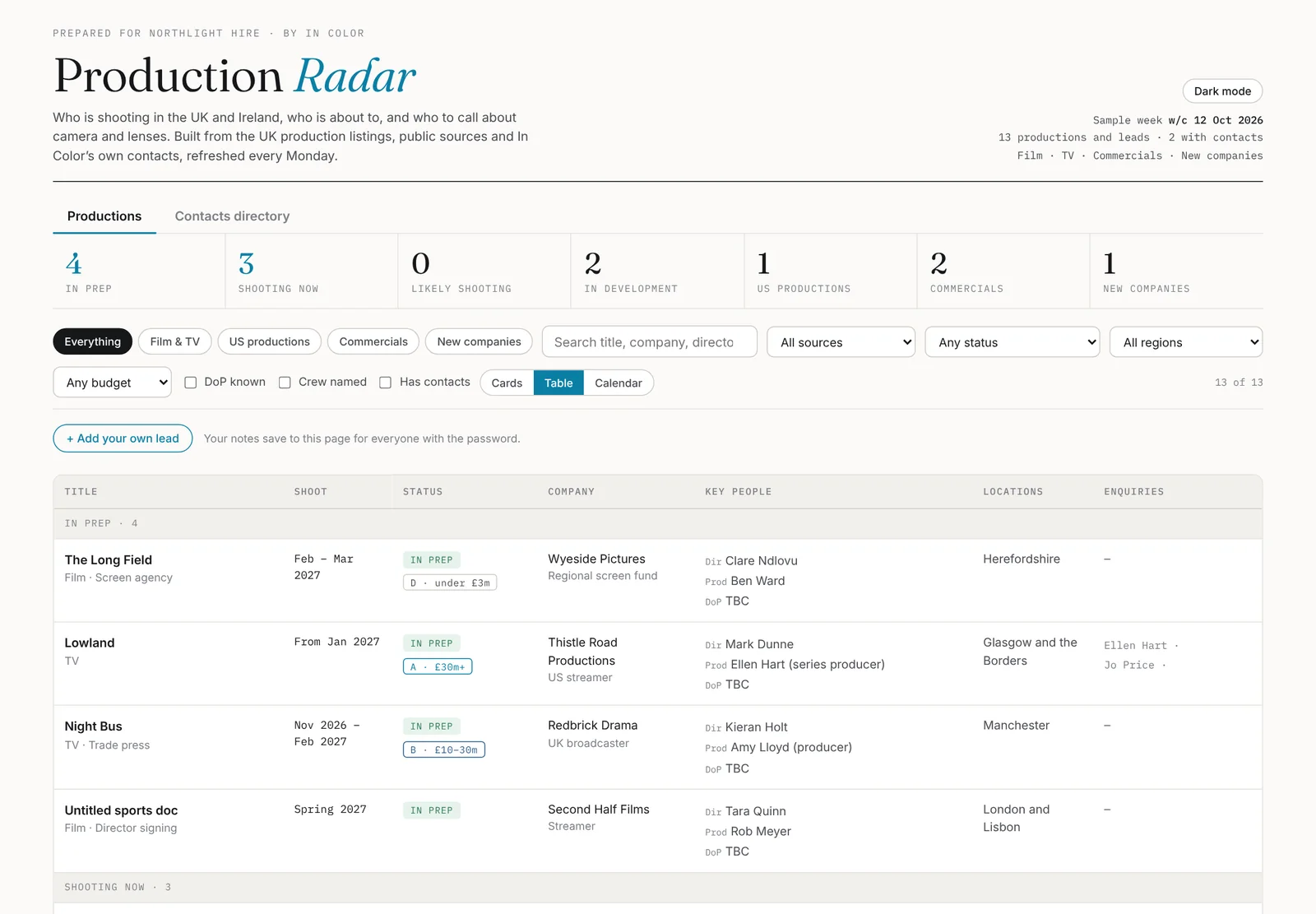
A private page of the productions you should be talking to, built from the UK production listings, trade press, Companies House and screen agencies, filtered for your business and written for it.
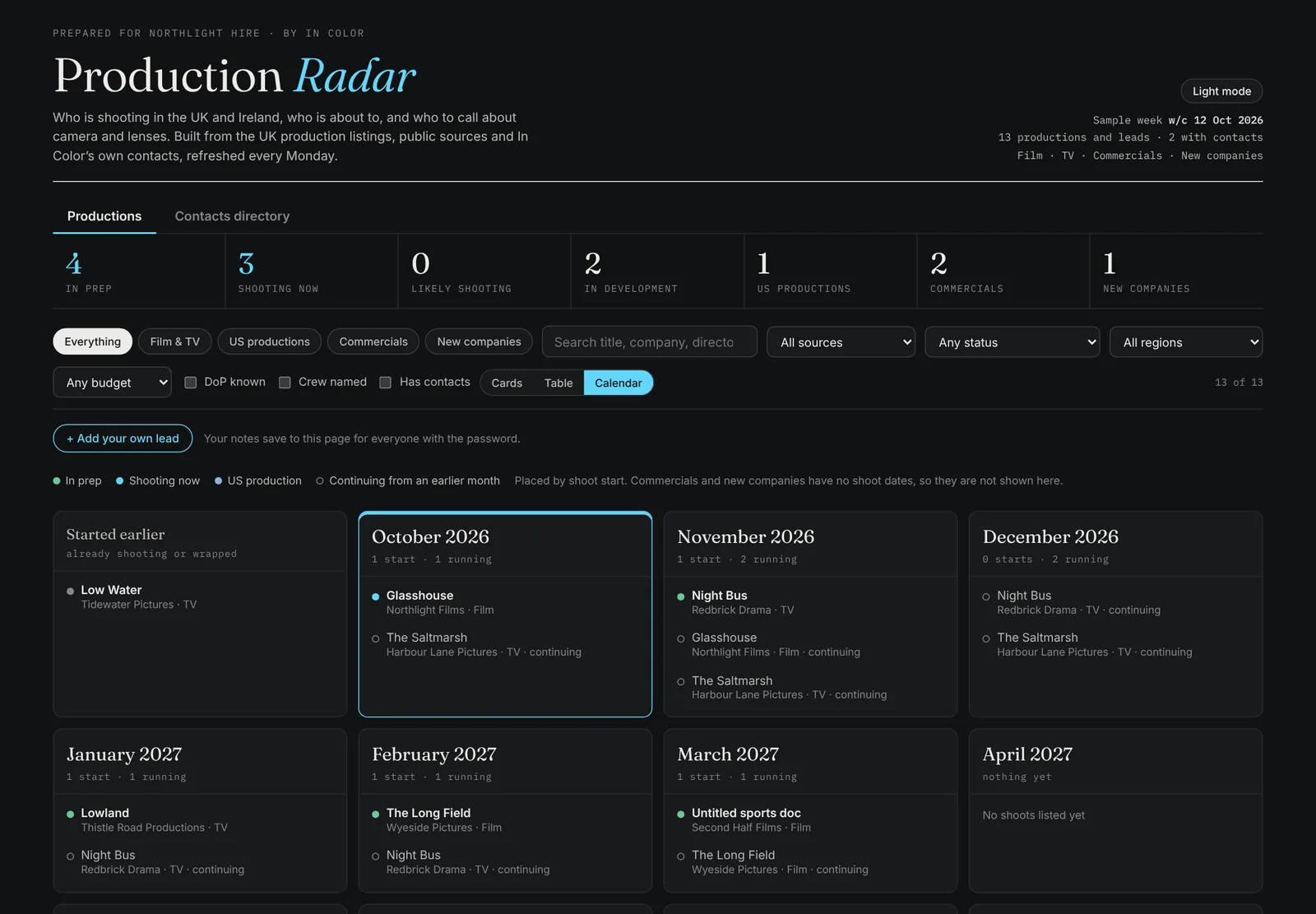
- Who's shooting whatProductions in prep, shooting now and in development, US productions landing in the UK, commercials, and new production companies the week they register.
- Who to callDirectors, producers, DoPs and direct contacts where they're public, with an enquiries line for each production.
- Why it matters to youEvery lead carries a line written for your business: what to offer, and when.
- Your filtersYour regions, your budget bands, your mediums. Search, sort and filter in cards, a table or a shoot calendar.
- Worked as a teamMark leads Contacted, Quoting or Booked, add notes and your own leads; everyone with the password sees the same page.
- Contacts directoryEveryone on the radar in one list, with spreadsheet import and group email.
Mission Control
The radar tells you who to call. Mission Control puts it next to the rest of the day, reading from the calendars, inbox and sheets you already use.
- This weekEvery calendar the company runs, in one week view.
- Follow-ups dueStraight from the radar: who to call today, what to quote this week.
- Waiting on a replyThe emails that need an answer, not the whole inbox.
- Jobs outWhat's out, on which job, and what's coming back.
- RoutinesThe Monday radar refresh and the morning brief, running on their own.
One of a kind, every time
There is no off-the-shelf version. Each Production Desk is designed and built for one company, around what it sells and who it sells to.
We talk
What you sell, who buys it, the regions and budgets you work in, and how your team finds work today.
We build yours
Your radar, your filters, your angle on every lead, and a Mission Control wired to the tools you already run.
It runs every week
The radar refreshes every Monday. Your team works it together, and we keep it tuned as you go.
From London to South Africa, no two are the same.Production Desks running today
- Delivery
- A private page on its own link, behind a password
- Works on
- Phone, tablet and desktop · light and dark
- Refresh
- Every Monday morning
- Sources
- Production listings · trade press · Companies House · screen agencies · agency wins · your Google Sheet
- Team
- Shared statuses, notes and your own leads
- Built by
- In Color, a production company in London, working across the UK and globally
The short answers
Anything else, ask.
What is Production Desk?
A private production office on one screen, built for one company. It has two halves: Production Radar, which tracks who is shooting what, where and when, and who to call about it; and Mission Control, which puts your week, your follow-ups and your inbox in one place. Every Production Desk is custom made for the company that uses it.
Is it an app I download?
No. It is a private web page on its own link, behind a password, that works on a phone, a tablet or a desktop, in light or dark. There is nothing to install and nothing for your team to set up.
Where does the radar's information come from?
Public sources, refreshed every Monday: UK production listings, trade press, Companies House, screen agencies and agency account wins, plus contacts from In Color's own production work. It can also read live from a Google Sheet you already keep.
What makes each one custom?
We build it around what you sell and who you sell to: your regions, your budget bands, the kinds of production you want, and a line on every lead that says why it matters to your business. A camera house and a production service company get different radars.
Can my team work it together?
Yes. Statuses, notes and your own leads save to the page for everyone with the password, and the contacts directory takes a spreadsheet import.
How much does it cost?
It is priced to the build, because every one is different. Get in touch and we will walk you through a working one with sample data.
Production Desk · by In Color
Want one built for you?
Tell us what you sell and where you work, and we'll show you a working Production Desk with sample data before anything is built.